
📖 User Manual
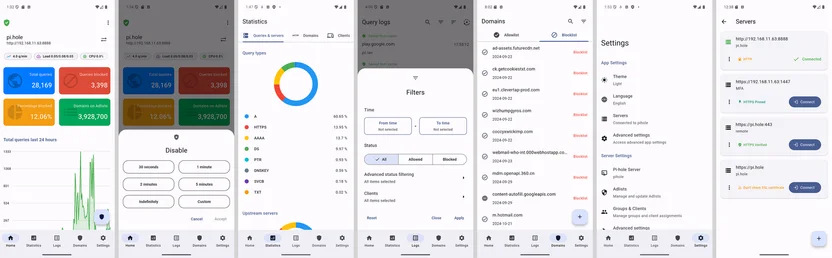
This section is the screen-by-screen guide for the Pi-hole client app. Each page explains what you see on a screen, what you can do there, and how it fits into real-world usage.
If you are looking at a specific menu item in the app, open the matching page below.
Main screens
Section titled “Main screens”-
Home Check Pi-hole status at a glance and pause or resume blocking quickly.
-
Statistics Understand traffic patterns by domains, clients, and servers.
-
Logs Inspect individual DNS queries and add domains to the allowlist or blocklist.
-
Domains Manage allow and block rules explicitly.
-
Settings Configure the app, manage Pi-hole servers, and view advanced options.
Widgets
Section titled “Widgets”- Android Home Widget Check status and toggle blocking from your Home screen.
How to use this manual
Section titled “How to use this manual”- Start with Home if you are new to the app
- Use Logs and Domains when troubleshooting
- Use Settings for setup, maintenance, and advanced control
Each page is written to match the app UI exactly, so you can read along while using the app.